
 Book a Demo
Visual Workflow Builder
Design complex AI agent logic with a drag-and-drop interface. 15+ node types including AI Response, Intent Router, Knowledge Search, API Call, Conditions, and more.
Build an AI Agent around your business knowledge. Configure it by talking to Architect Studio, review its workflow, and bring your team into conversations that need a person.
No credit card required · Free plan available
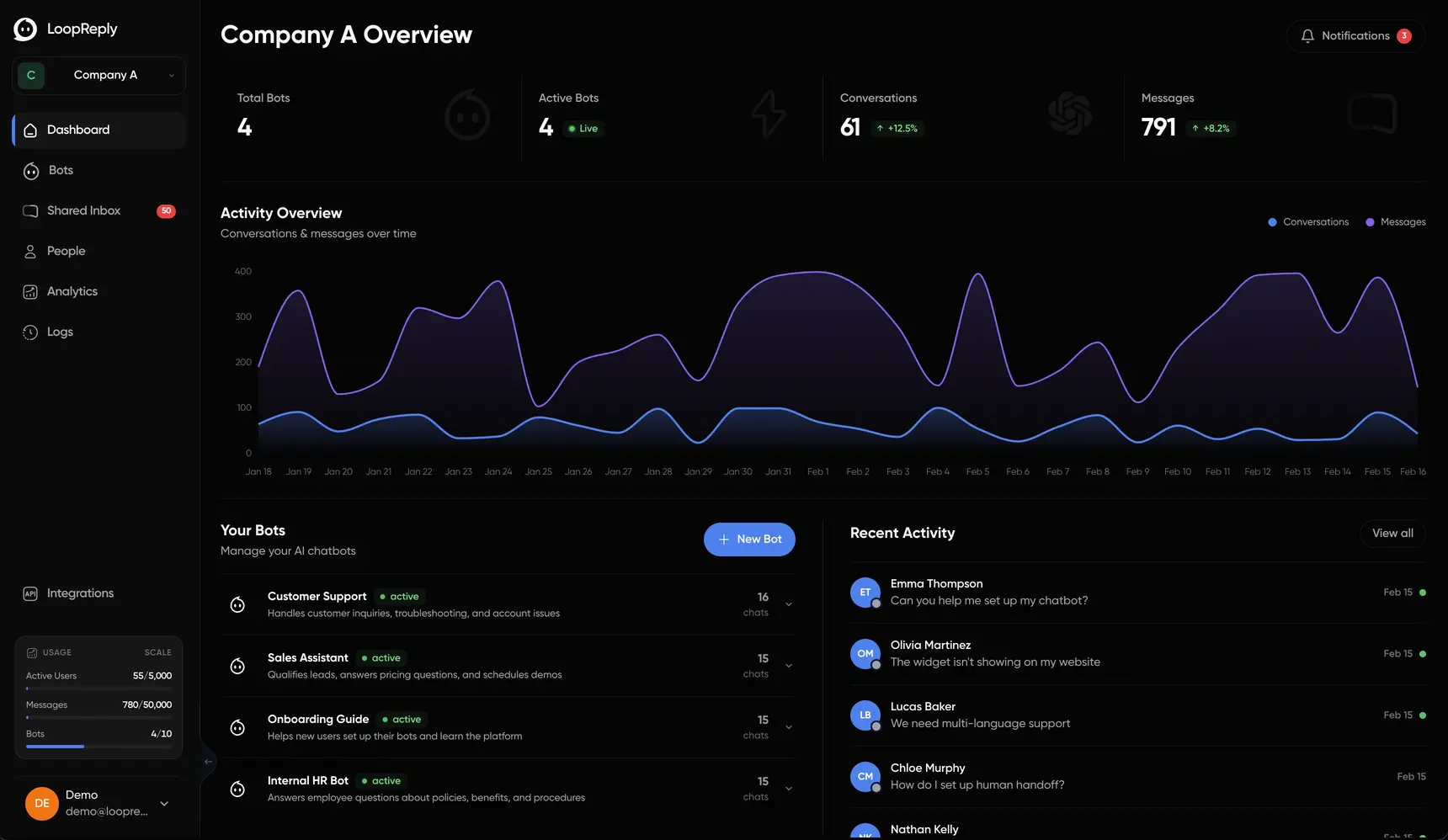
One platform to build, deploy, and manage AI agents across every channel. See how teams in e-commerce, healthcare, and SaaS use LoopReply.
Architect Studio
Tell the AI configurator what you want to change. Inspect the saved settings and visual workflow beside the chat, then test your draft.
Open any of your Agents and select Architect Studio. Your configuration conversation stays with that Agent.
Explore Architect Studio
Visual Workflow Builder
Design complex AI agent logic with a drag-and-drop interface. 15+ node types including AI Response, Intent Router, Knowledge Search, API Call, Conditions, and more.
Omnichannel AI Agents
Deploy the same AI agent across web, WhatsApp, Messenger, Instagram, Telegram, SMS, Email, Slack, Discord, Microsoft Teams, and Voice, all from one workflow.
Knowledge Base
Train your AI from PDFs, Excel files, URLs, HTML pages, Markdown, and even direct database connections with scheduled refresh intervals for always-fresh data.
Human Takeover
AI handles the routine. When it reaches its limits, a human agent takes over without restarting the conversation or losing context.
Performance Analytics
Track average response time, conversation volume, sentiment analysis, conversion rates, handoff rates, and agent performance with exportable reports.
30+ Integrations
Connect with WhatsApp, Shopify, HubSpot, Salesforce, Zapier, Stripe, Calendly, Google Analytics, Zendesk, and dozens more, natively, with no middleware required.
Multi-Workspace & RBAC
Run multiple workspaces with different bots under one account. Assign team roles with granular permissions for admins, editors, and viewers.
Multiple AI Models
Choose from a wide range of AI models including GPT-5, Claude Opus, Gemini 3, Llama 4, Mistral Large, and more. We natively connect to multiple providers for maximum uptime and flexibility.
30+ native integrations, from WhatsApp and Slack to HubSpot, Shopify, and Stripe. No middleware.


Arrange workflow steps to build the conversation your customers need. No code required. From simple FAQ bots to complex multi-step agents with API calls, conditions, and intent routing. Learn more in our complete guide to AI chatbots.
Trigger
Conversation start
AI Response
Generate AI response
Intent Router
Route by intent
Knowledge Search
Search knowledge base
Collect Input
Collect user data
Quick Replies
Show options
API Call
HTTP request
Condition
Branch logic
Set Variable
Store value
Delay
Wait timer
Send Message
Send text
Action
End / handoff
Supported Sources
PDF Documents
Upload PDF files for instant indexing
Excel / CSV
Import spreadsheets and tabular data
Web URLs
Crawl and index whole websites or certain webpages
HTML Files
Parse raw HTML content
Markdown
Import markdown documentation
Database (SQL)
Connect to databases, run SELECT queries, auto-refresh every 5 min
S3 / Cloud Storage
Connect to S3 buckets and cloud storage links
Upload PDFs, Excel files, web pages, or connect directly to your database. Your AI agent always has the freshest, most accurate information to work with. Read our guide on building a knowledge base for your AI chatbot.
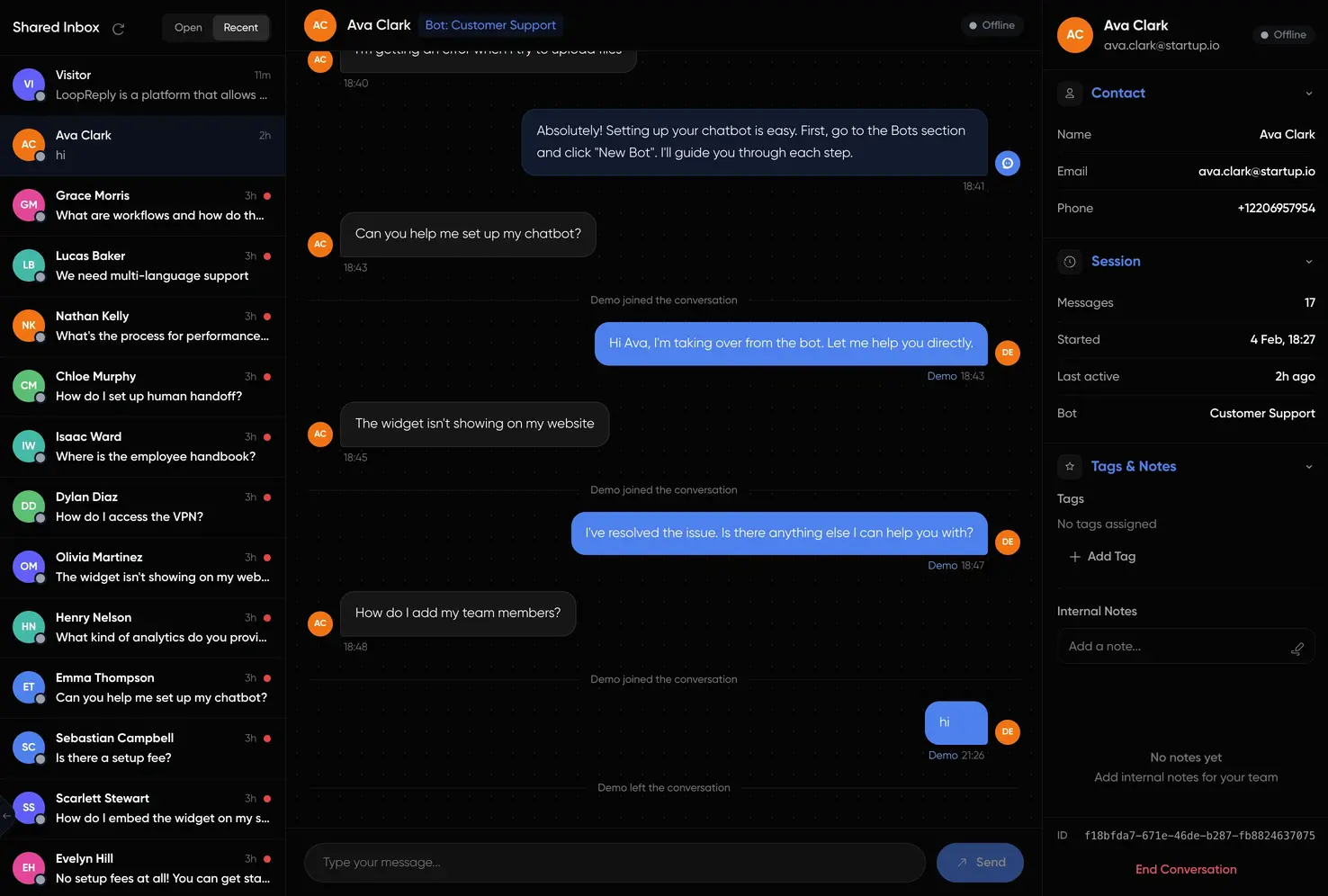
Dashboards that show what's actually happening. Track response time, resolution rate, sentiment, and handoffs in one view.
Illustrative dashboard with sample data. Figures are not measured customer results.
From customer support to lead qualification, LoopReply adapts to your workflow. Learn how to automate your customer support with AI.
Lead Qualification
Engage visitors, ask qualifying questions, score leads, and hand off hot prospects to sales instantly.
E-commerce Support
Answer product questions, track orders, handle returns, and upsell, integrated with Shopify and WooCommerce.
Multi-Team Help Desk
Run separate workspaces per brand or product, each with their own bots, team members, and live conversations, all under one account.
Internal AI Assistants
Connect Slack, search company docs, trigger Jira tickets, and update your CRM, all from a single employee question.
How do I set up my local dev environment? Also need access to the staging API.
Here's the setup guide. I've also created a Jira ticket for your staging API access, and IT has been notified.
Pre-built bots for every use case. Pick a template, connect your knowledge base, and go live in minutes.
Customer Support
Handle FAQs, resolve issues, and escalate to humans
Sales Assistant
Qualify leads and guide customers to purchase
Lead Generation
Capture and qualify leads automatically
FAQ Bot
Instant answers to common questions 24/7
Appointment Booking
Schedule appointments and send reminders
Feedback Collector
Gather customer feedback and NPS scores
Onboarding Guide
Walk new users through product setup
Event Registration
Handle signups, tickets, and event info
E-commerce Helper
Product recommendations, order tracking, returns
Healthcare Assistant
Patient intake and appointment scheduling
Real Estate Agent
Property matching and tour booking
Education Helper
Course info, enrollment, and study support
Restaurant Bot
Menu browsing, reservations, and takeout
Travel Concierge
Trip planning and booking assistance
Insurance Assistant
Claims processing and policy questions
Fitness Coach
Workout plans and wellness tracking
WhatsApp Orders
Shipping alerts and order status updates
Slack IT Helpdesk
Employee tech support on Slack
Instagram DM Sales
Convert DMs into sales automatically
Telegram Support
Community support and group FAQs
Discord Mod Bot
Community management and moderation
Messenger Leads
Capture leads on Facebook Messenger
WhatsApp Booking
Schedule appointments via WhatsApp
Slack Onboarding
Guide new hires through first week
Review access, source handling and your requirements before connecting business data. Contact the team for the details your organization needs.
Workspace Access
Agents and conversations belong to workspaces. Review workspace membership and remove access when a teammate no longer needs it.
HTTPS Connections
The LoopReply website and hosted dashboard use HTTPS. Review the configuration and permissions of any external service you connect.
Account Sign-In
Sign-in protects access to the dashboard. Keep account access limited to the people responsible for managing your workspace.
Connection Credentials
Use credentials scoped to the task when connecting a service, and replace or revoke them when access is no longer required.
Row-Level Security (RLS)
Our database uses Row-Level Security policies ensuring users can only access data belonging to their team, enforced at the database level.
Data Handling Information
Read our privacy policy and contact the team about retention, hosting and contractual requirements before connecting sensitive information.
RBAC & Team Permissions
Granular role-based access control lets you define who can view, edit, or manage each workspace, agent, and conversation.
API Rate Limiting
Built-in rate limiting at multiple levels (10/sec, 50/10sec, 200/min) protects against abuse, DDoS attempts, and runaway API usage.
We natively connect to multiple AI providers and automatically route to the best available connection for maximum uptime. Choose Pick a cheap, fast model for simple chats or a heavyweight one for complex reasoning, per agent.
Everything you need to know about LoopReply.
LoopReply combines a visual workflow builder, AI-powered responses, knowledge base with RAG, and human takeover, all in one platform. LoopReply was built AI-first, with omnichannel support across 30+ integrations and no per-resolution or per-agent pricing.
Review our privacy policy for data handling information and contact the team about your requirements before uploading sensitive records. Workspace access controls and application permissions help limit who can manage your Agents. Do not assume a certification or data-residency commitment without written confirmation.
Yes. LoopReply has a free tier with no credit card required. You get 1 AI agent, 500 messages per month, the full visual workflow builder, and a website chat widget, enough to build and test a real chatbot before upgrading.
LoopReply's human takeover feature transfers the conversation to a live agent without restarting or losing context. You can configure exactly when handoffs happen, by confidence threshold, topic, or customer request, so your team only steps in when it matters.
Most users have a working chatbot on their website within 5 minutes. Create an account, build your conversation flow with drag-and-drop, optionally upload knowledge base documents, and embed a single script tag on your site.
Yes. LoopReply supports GPT-5, Claude Opus, Gemini 3, Llama 4, Mistral Large, DeepSeek, o3-pro, and more. You choose the model per agent and can swap at any time without rebuilding your workflows.
No. The visual workflow builder lets you design complex conversation logic with drag-and-drop, no code required. For developers, we also offer a full REST API, webhook support, and embeddable React components for custom integrations.
Join thousands of businesses using LoopReply to answer customers in seconds, with humans always in the loop. No credit card required.
Read how LoopReply handles personal data and how to contact us about it.
Review the terms that apply to your account and use of the platform.
Learn how to prepare, process, and check the information your Agent uses.
Add LoopReply to your website with a single script tag. Works with React, Next.js, Shopify, WordPress, and any HTML page. Initialize with user data for personalized experiences.
Create your account
Sign up in 30 seconds. No credit card required.
Build your AI agent
Use the visual workflow builder to design your conversation logic.
Train with your data
Upload PDFs, URLs, or connect your database.
Embed on your site
Add a single script tag to your website.
<script src="https://widget.loopreply.com/embed.js"data-agent-id="YOUR_AGENT_ID"></script>
Chat with us
We typically reply in a few minutes
Online
Hi! How can I help you?
I need help with my subscription billing
Delivered
Let me connect you with a billing specialist right away.
Hey! I've pulled up your account. How can I help with billing?
Start free. Upgrade when you need more. No hidden fees. No per-resolution charges.
Includes
Includes
Includes
Includes
All plans include the visual workflow builder, embeddable widget, and developer API. No credit card required for the free tier.
